







Managing Infrastructure with AI
A week ago I wrote about using AI to rebuild my home infrastructure. That work moved routing, DNS, VPN access, monitoring and security services onto a small Debian gateway.
The system worked. The next question was whether I could operate it cleanly.
The intent: fewer sources of truth
This follow-up addressed two different kinds of scattered state:
- Network identity: DHCP was divided between two routers while static addresses and DNS records lived elsewhere.
- Secrets: passwords, credentials, secure notes, API keys and recovery material were spread across several locations and workflows.
The technical answers were Kea as the authoritative DHCP server and Vaultwarden as the central secrets-management engine. The broader intent was the same in both cases: consolidate ownership without hiding how the system works.
Kea: one authority for network identity
DHCP had been split between the Fritz!Box and OpenWrt. That stopped being convenient once device names, fixed addresses and DNS had to agree across the Core, Wireless and IoT networks.
I made the three provisional pools deliberately small and symmetrical:
- Core:
10.0.0.80–89 - Wireless:
172.16.0.80–89 - IoT:
192.168.0.80–89
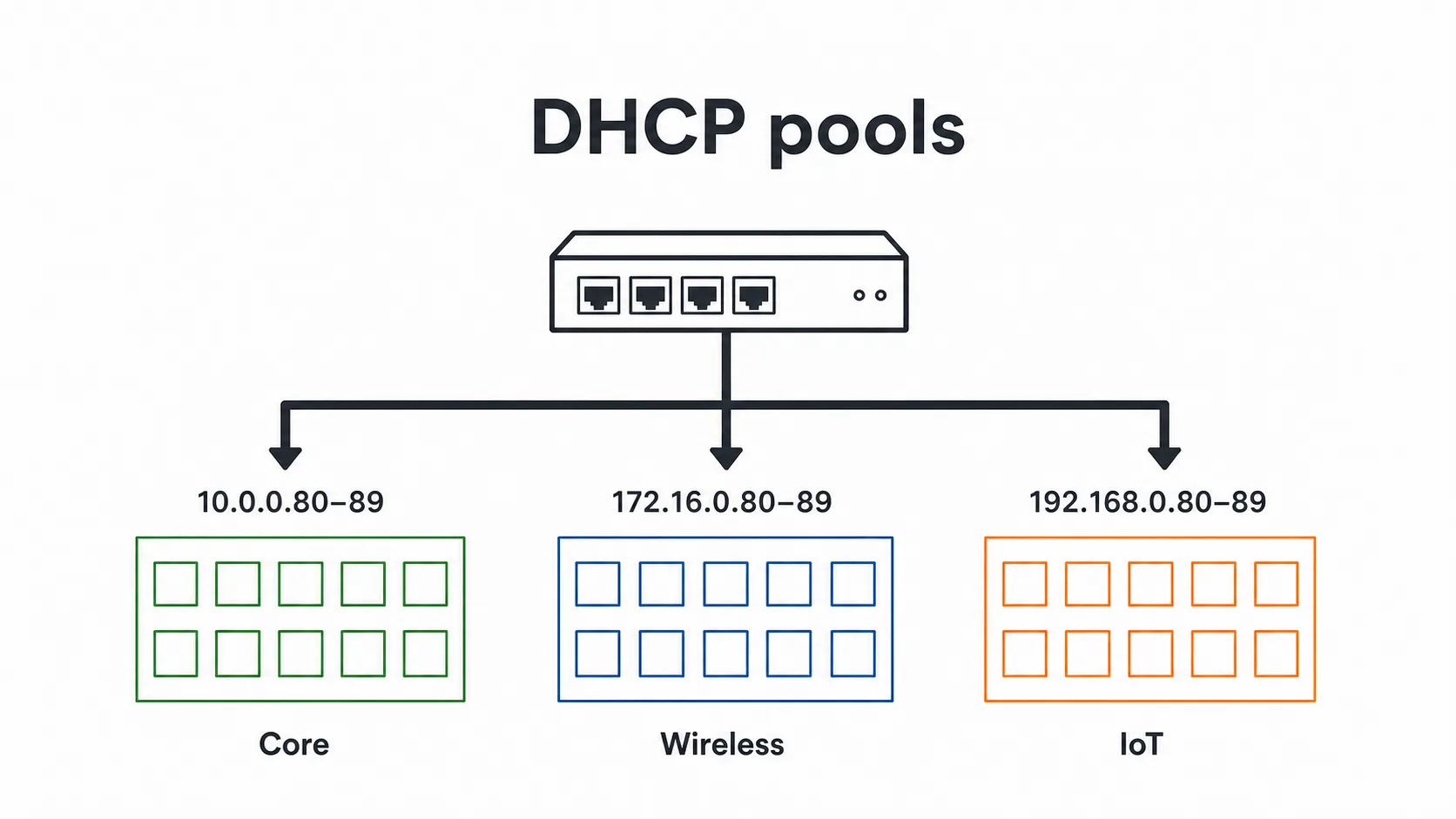
The boxes in the illustration are not the complete /24 networks. They are the ten addresses available to unknown or provisional clients. Known devices receive reservations, while anything new still receives a normal lease from the network it joined instead of failing silently or landing in another segment.
Kea also had to fit the DNS design already in place. BIND remains authoritative for .lan, including the existing service aliases. A shared, reviewed host inventory generates both Kea reservations and matching client records in BIND. DHCP owns leases; DNS owns names. Neither service tries to become the other.
I dropped the planned DHCP web interface as well. It would have introduced a database and another application stack for little operational value. Kea instead runs natively, keeps leases locally and exports useful signals to the monitoring system already on the gateway. Configuration stays in Git; metrics and centralized logs provide the live view.
The cutover mattered more than the configuration
Writing DHCP configuration is straightforward. Replacing DHCP underneath the connection used for the migration is not.
The cutover therefore happened in small, verifiable steps:
- Render and validate configuration before activation.
- Check firewall rules and address ownership against the live topology.
- Disable the old DHCP servers one at a time.
- Observe and reserve each static client before switching it to DHCP.
- Use an automatic rollback timer for the server migration.
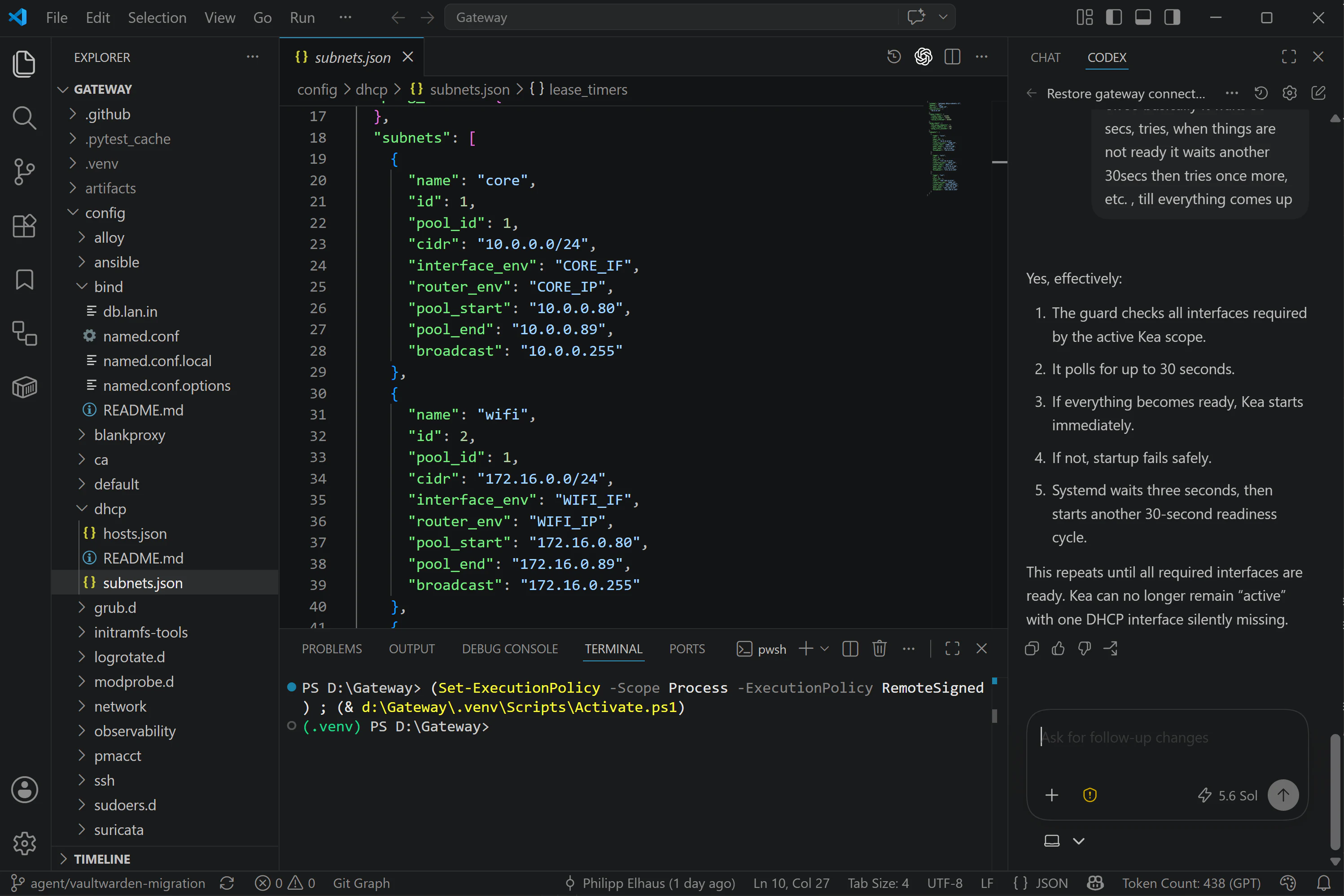
Reality still interfered. Some Apple devices presented the wrong private Wi-Fi address and a monitoring client entered the provisional pool. However by leveraging AI with GPT 5.6 Sol as my Infrastructure Management Assistant, i was able to quickly figure and adapt with validated in-place reloads and narrowly scoped lease cleanup through Kea’s local control socket.
Vaultwarden: one home for secrets
The second project was broader than moving infrastructure credentials. I consolidated passwords, account credentials, secure notes, API keys, recovery material and service secrets into Vaultwarden on server.lan. The goal was to replace security clutter with one controlled backend for both daily use and infrastructure automation.
The standard Bitwarden apps on browsers, desktops and mobile devices provide the everyday experience and synchronize against that backend. Automation reaches the same source of truth through separate, bounded command-line sessions. Users (Myself & Agents) as well as services therefore use the same authoritative vault without sharing the same access path.
Vaultwarden became its own project w/ a dedicated GIT repo, while a separate Caddy ingress project took responsibility for LAN HTTPS.
The resulting boundaries are deliberately narrow:
- Vaultwarden listens only on loopback.
- Caddy alone exposes ports 80 and 443, using certificates from the internal CA.
- Bitwarden apps provide browser, desktop and mobile access; automation sessions remain separate and short-lived.
- Persistent state lives in a dedicated Docker volume; runtime secrets remain outside Git.
- The existing daily server backup briefly integrated Vaultwarden.
Consolidation used the same verification standard as the network migration: do not assume that a successful command means correct state. Secrets were copied from their previous stores, read back from Vaultwarden and compared exactly.
Running the container was the smallest part. Replacing scattered security state with a usable, recoverable system was the project here.
One operating model for both
Kea and Vaultwarden solve different problems, but the operating model is now consistent:
- Source of truth: reviewed host inventory and Kea for DHCP; Vaultwarden for secrets.
- Human-facing result: stable names and predictable addresses on the network; Bitwarden apps on each relevant client.
- Automation path: rendered DHCP configuration and a local control socket; bounded Vaultwarden command-line sessions.
- Verification: leases, DNS answers, logs and metrics for DHCP; exact read-back and backup integrity checks for secrets.
The division of work stayed equally explicit:
- I owned intent and risk: topology, the IPv4-only LAN, physical access, credentials and cutover approval.
- The agent owned investigation and execution: repository history, live state, logs, routes, neighbor tables, plans, tests, staged deployment and documentation.
The AI contribution was less about writing JSON or Compose files and more about reconciliation: comparing intended state with live evidence, correcting discrepancies and preserving the reasoning in code and documentation.
Observability follows the same restraint. Kea joins the existing Gateway dashboard instead of gaining a dedicated screen full of low-value panels:
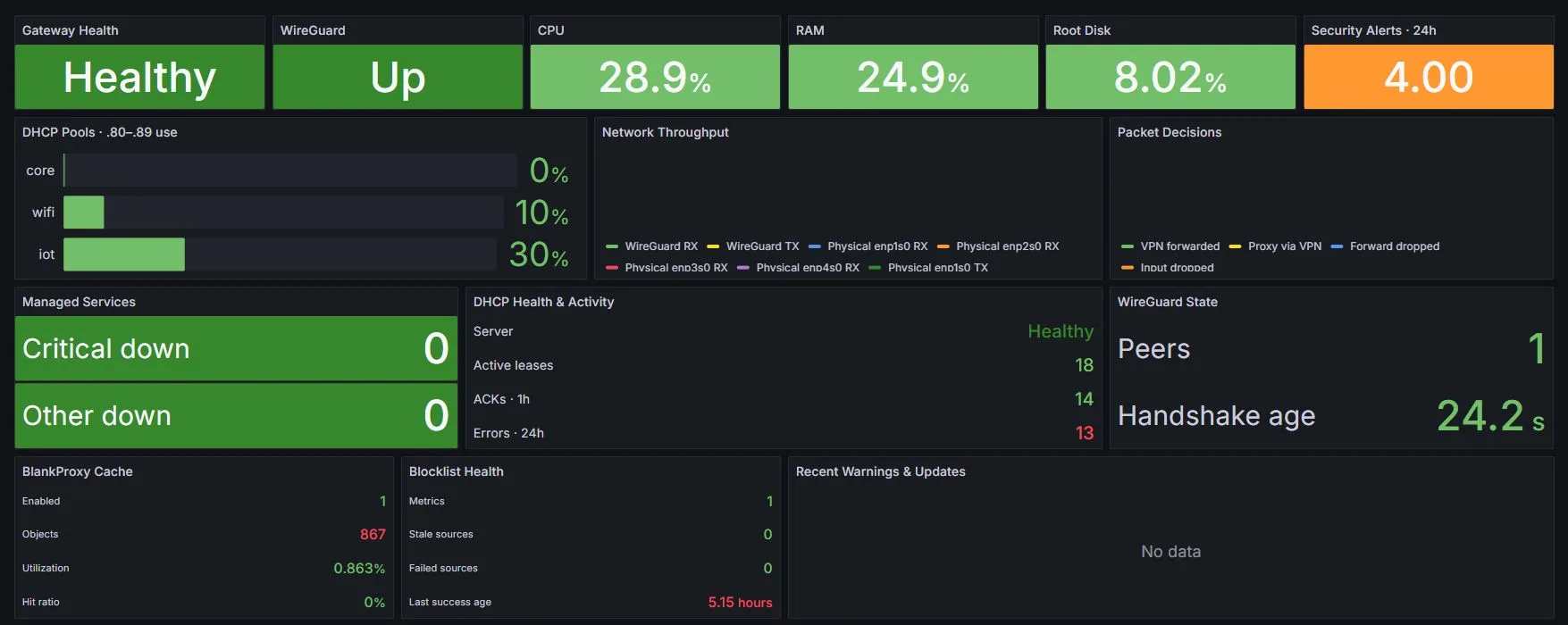
The dashboard answers the questions that matter: Is Kea healthy? Are leases being acknowledged? Is any pool filling up? Vaultwarden’s equivalent proof comes from its health checks, centralized logs, exact migration read-back and tested backups—not from adding a decorative green panel.
The infrastructure now explains itself better. Device identity has one reviewed home and produces consistent DHCP and DNS configuration. Personal and infrastructure secrets share one controlled home through the Bitwarden clients. Git records intent, validation protects activation, and focused evidence explains live state.
The infrastructure is not finished. It is simply easier to change without forgetting how it works.