







Vision-LLM Metadata Pipeline
I was side-quested away from the WTF-Model (aka The Fractal) again by an AI-related task I had to tackle:
After setting up my dual GPU streaming workflow, I solved one problem and created another. I could now stream and preserve gameplay runs reliably, but the Dailymotion archive was growing faster than I could manually label it.
So over the last three weeks, I built a local Vision-LLM pipeline for this. The goal is simple: download a long video, find the few frames that matter, read them reliably, and prepare and push metadata I can actually trust.
The important values usually appear in tiny windows: the opening setup screen, optional context panels, and the final scoreboard. Most of the video is visually interesting but metadata-poor. That made the real problem smaller and harder at the same time:
Do not understand the whole video. Find the right frames, and do not make things up.
There’s a service for that in Azure, called Azure AI Video Indexer, but I estimated it’d cost me around €10 for each video - not worth it. I do have that RTX 5080 locally for such tasks, so I might put it to good use.
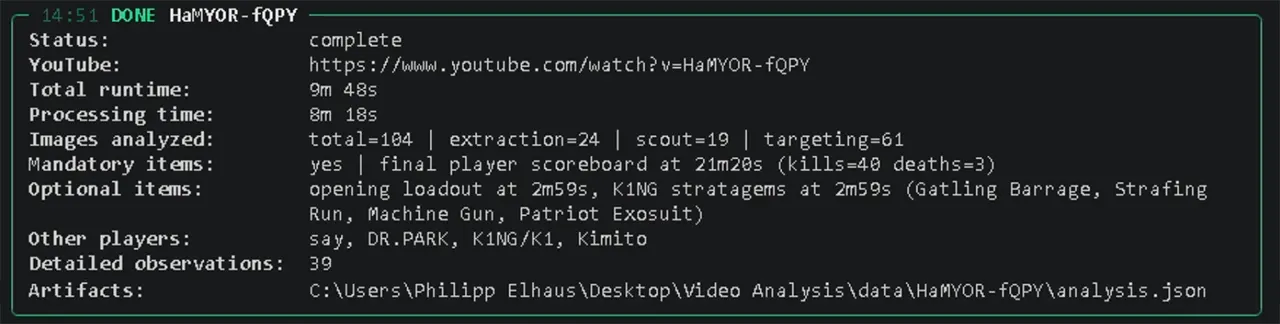
The tool is intentionally local. It uses Azure Blob Storage, ffmpeg, Python, Ollama, and the Dailymotion API. It downloads eligible source archives, samples frames, runs local vision models, writes artifacts, and prepares the Dailymotion publication.
Targeting Instead of Brute Force
The first approach was obvious: sample frames across the video and ask a vision model what it sees. It worked, but it was wasteful. Local vision calls are slow, long videos contain thousands of irrelevant moments, and post-match screens can look annoyingly similar.
Therefore, I narrowed the pipeline’s search into stages:
- pre-scout probe checks a few fixed candidates first
- scout scan finds rough timeline boundaries
- targeting scan inspects likely opening and ending windows
- homing pass checks promising neighborhoods at 1-second cadence
- extraction scan performs the expensive detailed reads
- recovery crops retry missing values with tighter OCR framing
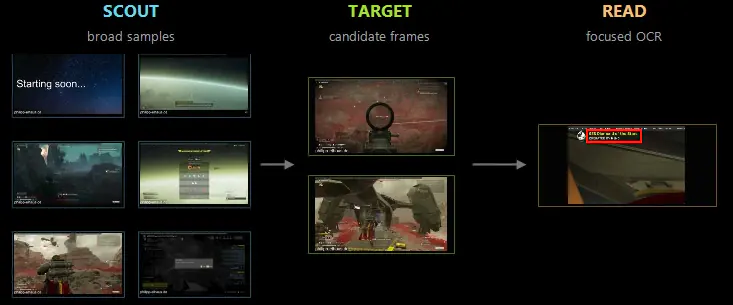
That flow is basically how I would inspect a video manually: get oriented, zoom in, then read the relevant panel. The difference is that the program remembers every step and can also resume after interruptions.
The rule is strict: later phases can be skipped only when detailed vision has already read a few mandatory values I want to retrieve in any case. Everything else is optional. Missing is acceptable. Guessing is not.
Architecture and Artifacts
The codebase is split around clear runtime boundaries:
ProcessingPipelinehandles queue orchestration and downloadsVideoRunProcessorhandles the single-video workflowFfmpegToolsowns probing and frame extractionOllamaAnalyzerowns prompts, schemas, and model callsprocessing/scans/owns scout, targeting, homing, and schedulesprocessing/extraction/owns crops, recovery, and target tracking
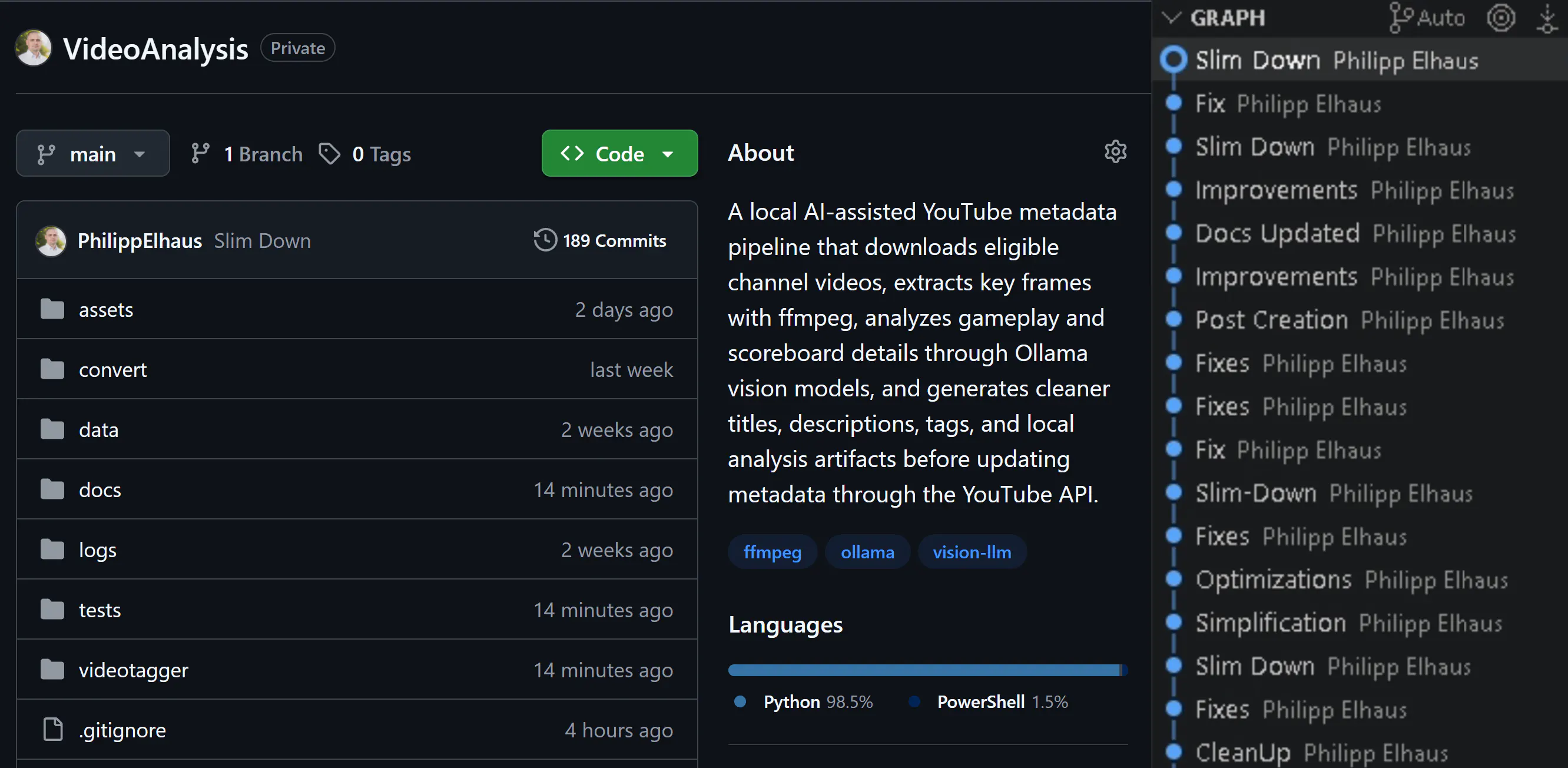
This took a lot of iteration. The first commit was on April 15, and at the time of writing, on May 8, the repository now has 190+ commits - most of the recent ones being fixes, architecture refactoring, tests, and documentation.

The artifacts are the real interface of the pipeline. Each video gets a folder under data/<video_id>/ containing the downloaded source, scan frames, and key JSON files (and contracts) like scout_scan_handoff.json, targeting_scan_handoff.json, vision_batches.json, analysis.json, and debugging.json.
That makes the whole thing resumable. Completed downloads can be reused. Interrupted targeting scans can continue. Detailed vision results are cached by frame signature and prompt/model identity, so reruns do not repeat expensive OCR checks just for fun.
This is not glamorous code, but it is the important plumbing. Without it, the project would just be a pile of screenshots and hope.
Local Models, Strict JSON
The model side runs through Ollama. The current setup uses a smaller Qwen vision model for cheap scout/targeting observations, a stronger vision model for repair and detailed extraction, and a text model for classifying scan observations against a local stage catalog.
That catalog matters more than expected. It gives the pipeline language for hard negatives: reward rows, chat overlays, roster-like screens, stats prompts, expanded stats, and other panels that can look close to the real target but are not it.
Every model call is expected to return strict JSON. If the response is empty or malformed, the client retries once with deterministic settings and a shorter JSON-only instruction. If detailed vision still cannot produce a usable result, the pipeline records that explicitly instead of pretending everything is fine.
That is the core design principle:
the system is allowed to fail, but it is not allowed to guess.
For metadata, that tradeoff is easy. A missing extraction can be rerun or improved. A fabricated value quietly corrupts the archive.
Current State
The final output is intentionally slim:
- scoreboard kills and deaths
- optional loadout slots when readable
- optional roster names when readable
The renderer then derives useful tags from those values without asking a model to write marketing copy. That split is important: the models are used as evidence extractors, while the final metadata is assembled by deterministic Python code.
The current local setup runs through Ollama and is tuned around Alibaba Qwen models:
qwen3-vl:4b-instructhandles the cheaper scout and targeting vision passes.qwen3-vl:8b-instructhandles the heavier repair, ranking, OCR-style checks, and extraction analysis.qwen3:4b-instructhandles text-only stage classification from structured visual observations.
Keeping these roles separate makes the pipeline faster and easier to debug than sending every frame through the largest vision model. The smaller vision model can cheaply narrow the search space, while the larger vision model is reserved for frames that are likely to contain useful evidence such as the opening loadout, player roster, source/context text, or final scoreboard. The model names are config-driven rather than hardcoded, so other Ollama-compatible models can be tested, but JSON reliability matters more than raw benchmark scores for this workflow.
Recent local runs already complete with extracted scoreboard values and loadout details. Source/context OCR is still the weak spot, but it is optional for now and clearly the next quality area.

The offline test suite is now the safety net. Default pytest does not contact Azure Blob Storage, Dailymotion, Ollama, or real metadata endpoints. It covers schema contracts, artifact caches, scan planning, extraction behavior, diagnostics, and the publication boundary. The latest run passed with 357 tests.
Closing Thoughts
This started as a convenience script for my streaming archive and turned into a compact local Vision-LLM pipeline. The interesting part is that the model is not really the product. The product is the control system around it: scheduling, cropping, caching, validation, retries, diagnostics, and refusal to invent missing data.