







Lab-Control: a full lab for Codex
I added Lab-Control to give Codex a more complete place to work. For my tasks, the available sandbox is often too limited: I need Linux toolchains, browsers, document converters, and somewhere to run an actual integration test. I want those tools ready when the agent needs them, without downloading hundreds of megabytes for each task. The idea of Lab-Control is at its core that Codex prefers this environment directly over his built-in Sandbox he ships with. To achieve this, the actual MCP and its Docker Image are accompanied by a dedicated Skill.
I mentioned Lab-Control briefly in my previous post. Here is what it adds to my setup.
A Linux workbench through MCP
Lab-Control pairs a server written in Rust with a prepared Ubuntu 24 Docker image. The containers run on my primary server.lan machine, making the lab accessible to all my agents on the network. Through MCP, the Model Context Protocol, each agent can start a lab session, send commands, inspect results, and retrieve files.
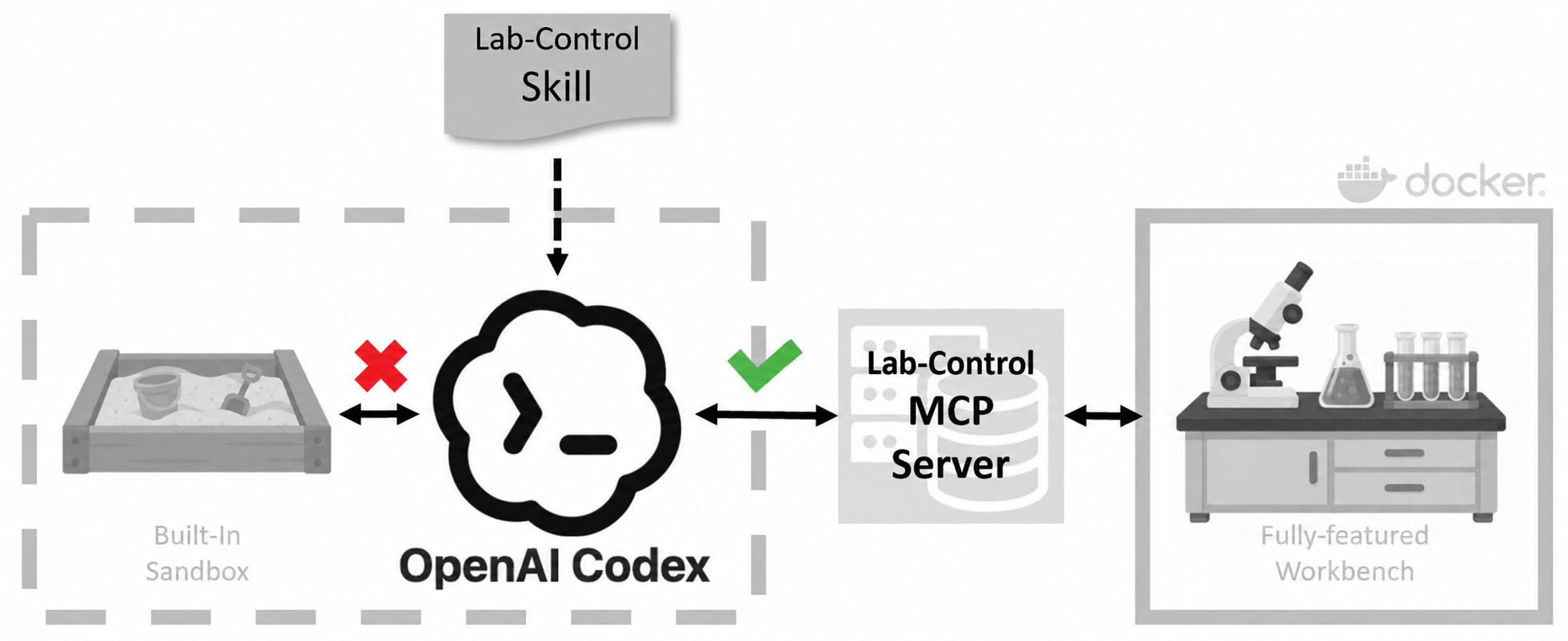
Inside the container, Codex has Bash and PowerShell, can install dependencies, and can use sudo when needed. This gives it room to build, debug, and experiment beyond a fixed list of helper commands. It is also useful for mocked setups and destructive tests that I could not safely run in a simple sandbox.
The tools are already there
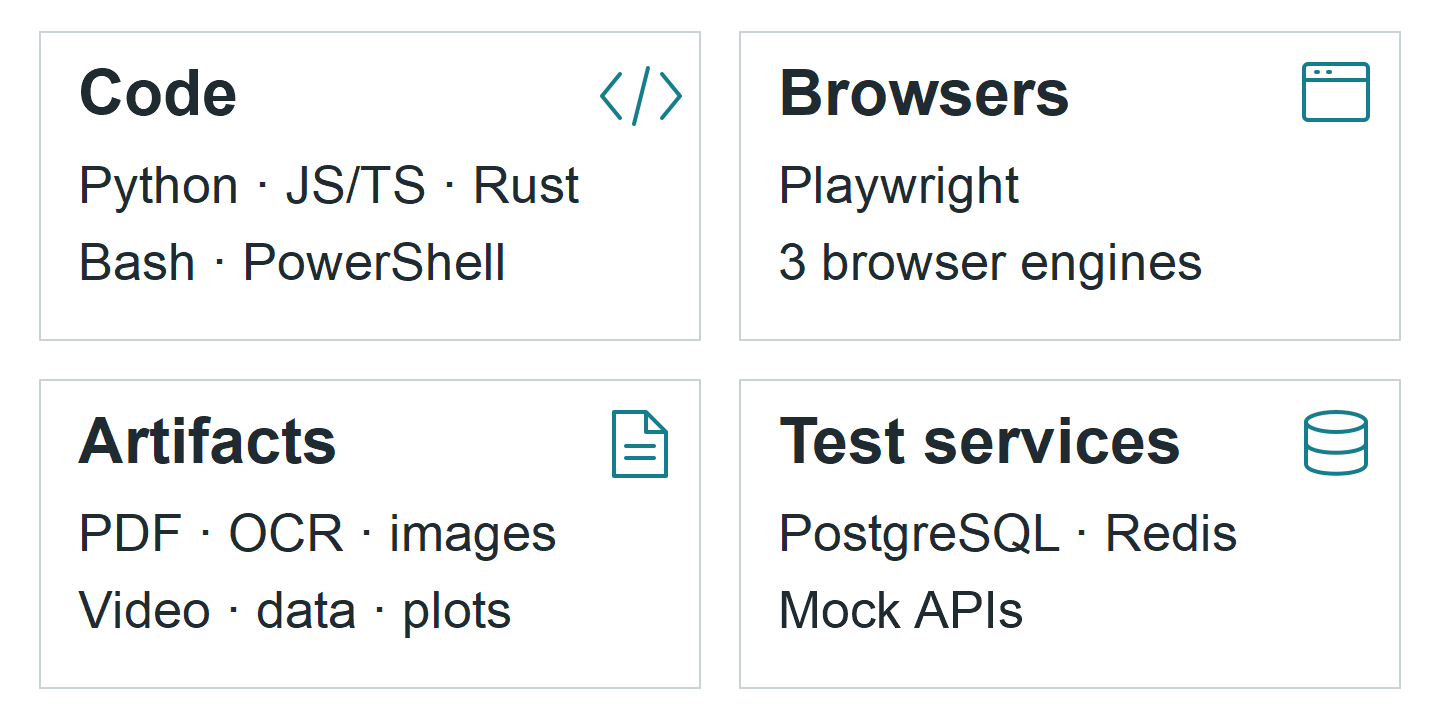
The lab image includes Python, JavaScript/TypeScript, PowerShell, .NET, and Rust environments, with package managers, compilers, test runners, linters, and debuggers. I also added the tools that turn source work into something I can inspect:
- Browser checks: Playwright with Chromium, Firefox, and WebKit, plus screenshots, traces, and accessibility checks.
- Documents and media: Office-to-PDF conversion, OCR, image processing, video inspection, and data plots.
- Integration tests: disposable PostgreSQL, Redis, and mock APIs, started for a test and removed afterward.
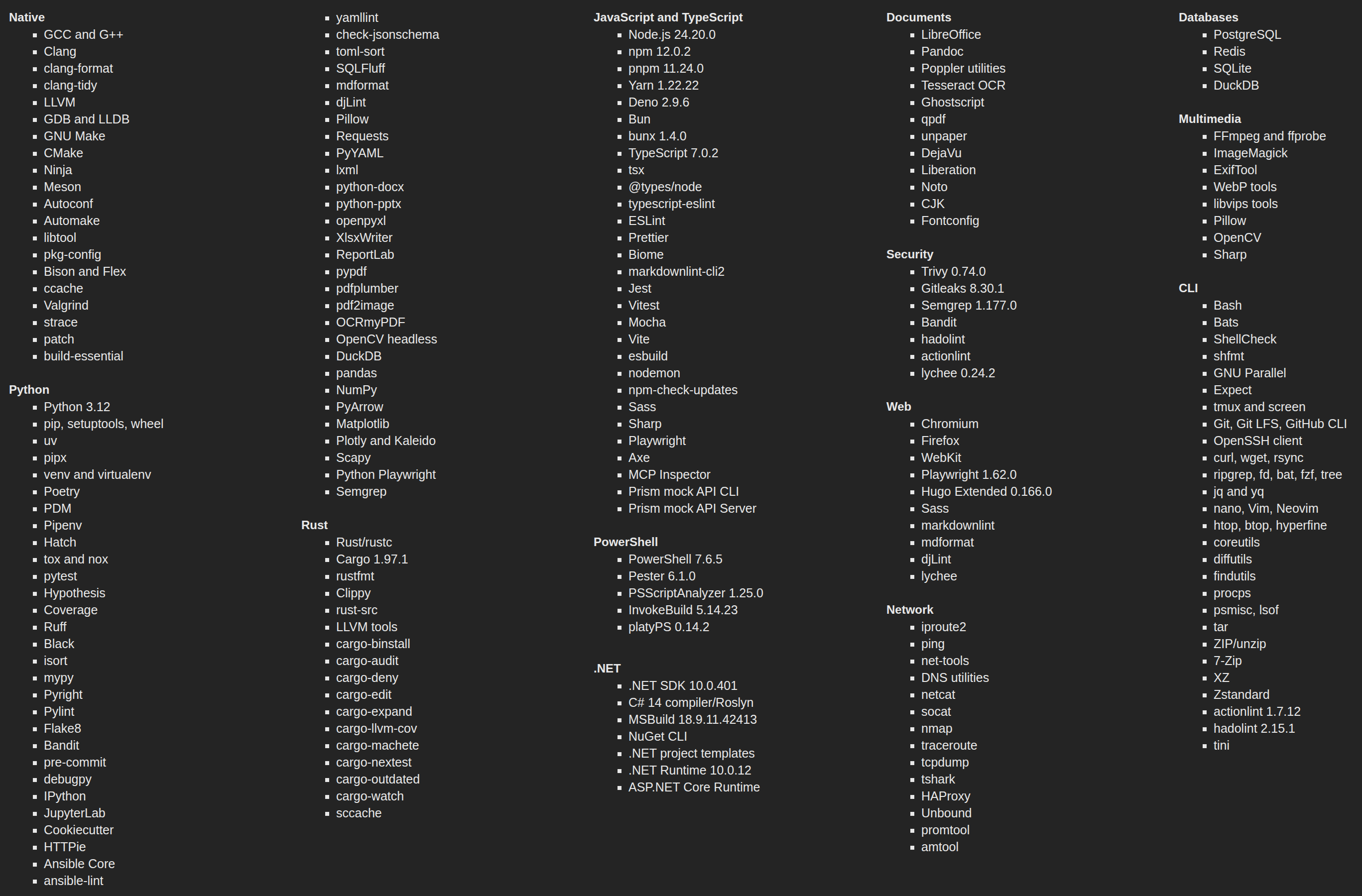
The complete inventory is larger than those groups suggest. The current image also carries native build tools, three browser engines, document and media processors, security scanners, network diagnostics, and database clients. Versions are pinned where the ecosystem supports it, while the built image records its full package inventories for later inspection.
The central Docker engine currently reports 9.4 GB of image content. That is still hefty, but it replaces repeated toolchain downloads and gives every new session the same starting point.
The MCP exposes a capability list, and a companion skill tells Codex when and how to use the installed workflows. That matters: a large image is useful only if the agent can find the tools and return their output.
Work on a copy, keep the result
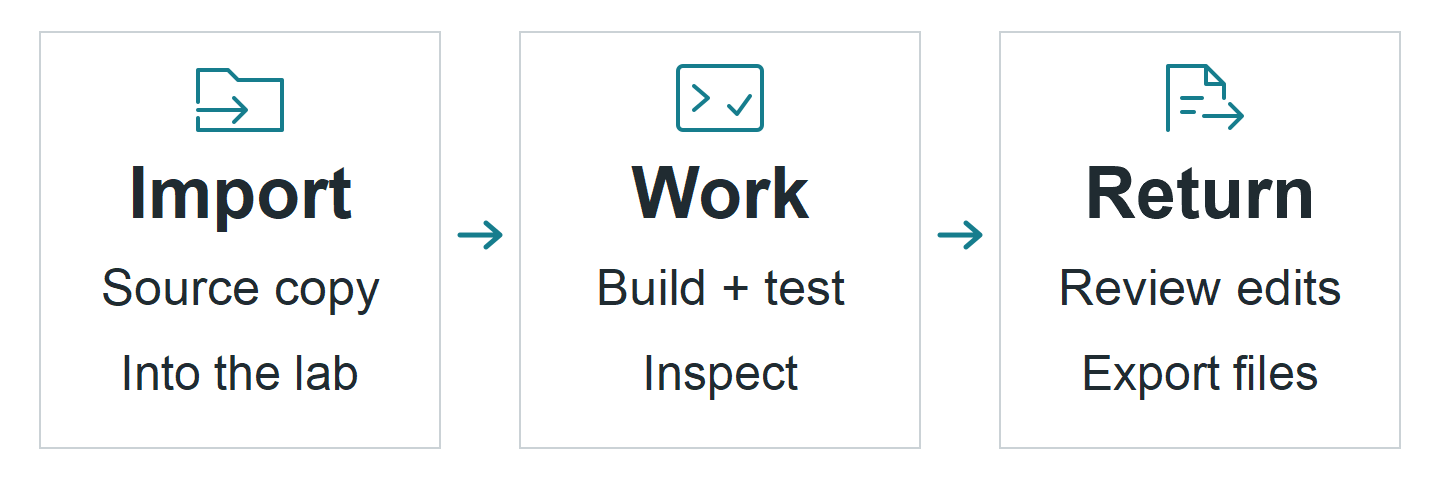
A session receives an explicit copy of the selected source. Codex works there, then exports artifacts or returns selected source changes after a conflict check and review. Repeated runs can sync changed files while keeping build caches.
Each task gets its own container, so separate projects can use the same internal ports without colliding. Sessions have CPU, memory, disk, and time limits. Removing one discards its working state; exported files and explicitly saved package caches can survive.
The lab has broad command access inside its container. It receives no host directory mounts or Docker socket. Native Windows applications and existing browser sign-ins still belong on the workstation.
I accept the storage and maintenance cost to give Codex a consistent, equipped Linux environment for everyday work.