







Codex Decision for VS Code
I built Codex Decision for VS Code to remove routine lines from long tool results while keeping errors and useful evidence visible. Retained lines keep their exact text and order. Each shortened result links to the complete original saved on my machine.
A long test run can produce hundreds of progress messages before one connection error explains the failure. I wanted a way to reduce that repeated output without losing the details needed to fix the problem.
I turn Decision on or off with the decision button beside the Codex model selector. Each chat remembers its own choice, so I can use it in one task and leave it off in another.

Keep the evidence
Decision checks supported tool results against the current task. It asks OpenAI Decisions or TypeSafe Jev which lines are relevant. This lets it assess a line in context instead of removing every line that matches a fixed pattern.
Local rules protect errors, warnings, nearby context, and completion totals. Short results, source code, diffs, and output that needs its complete structure stay intact. If the provider request or a validation check fails, the full result stays available.
I also wanted a clear way back to the source. Decision saves the complete original before it publishes a shortened result. I can use the included path to read every line again. The saved original remains available even when the panel shows a later tool result.
See and control each decision
The example below shows the result: routine lines are marked for removal, while the connection error, nearby context, and failed test result stay visible. This is the real Decision panel with a synthetic test log.
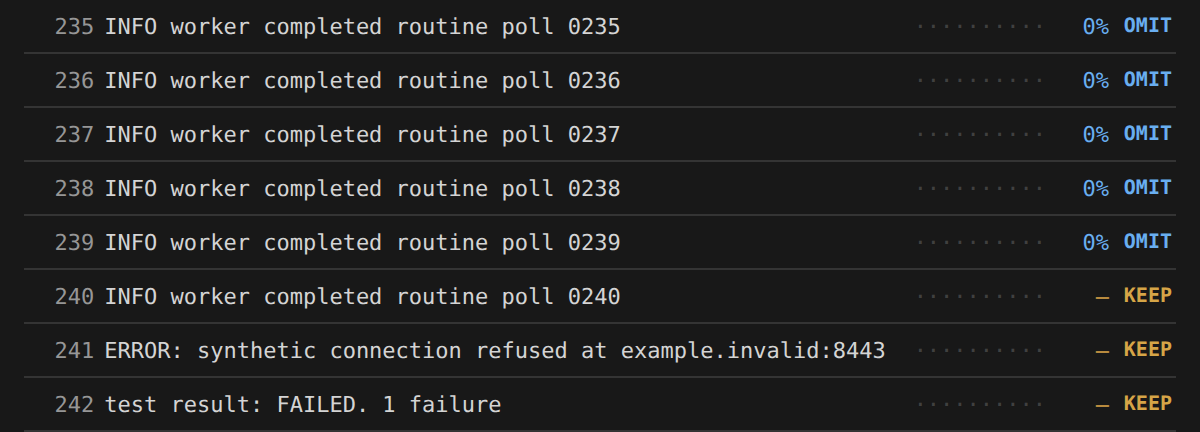
The Decision panel sits beside Terminal and Output. Blue rows mark proposed removals; gold rows mark kept lines. I can hover over a row for its excerpt and reason. Latest shows one result. Totals shows the selected chat’s saved activity, including requests and reasons why output stayed complete.
In Monitor mode, I can inspect proposed removals while the full output stays in place. Filter mode applies the selected removals. I can change the mode and relevance cutoff in Codex settings → Decision. These settings apply across chats.
The panel reports what Decision selected. Some tool wrappers still pass the full result to Codex. These counts therefore do not prove lower token use or a lower API bill.
Connect a provider
The Connect Decision screen lets me select OpenAI Decisions or TypeSafe Jev, enter an API key, test it, and save it. I can keep a separate key for each provider and switch between them without entering the keys again.
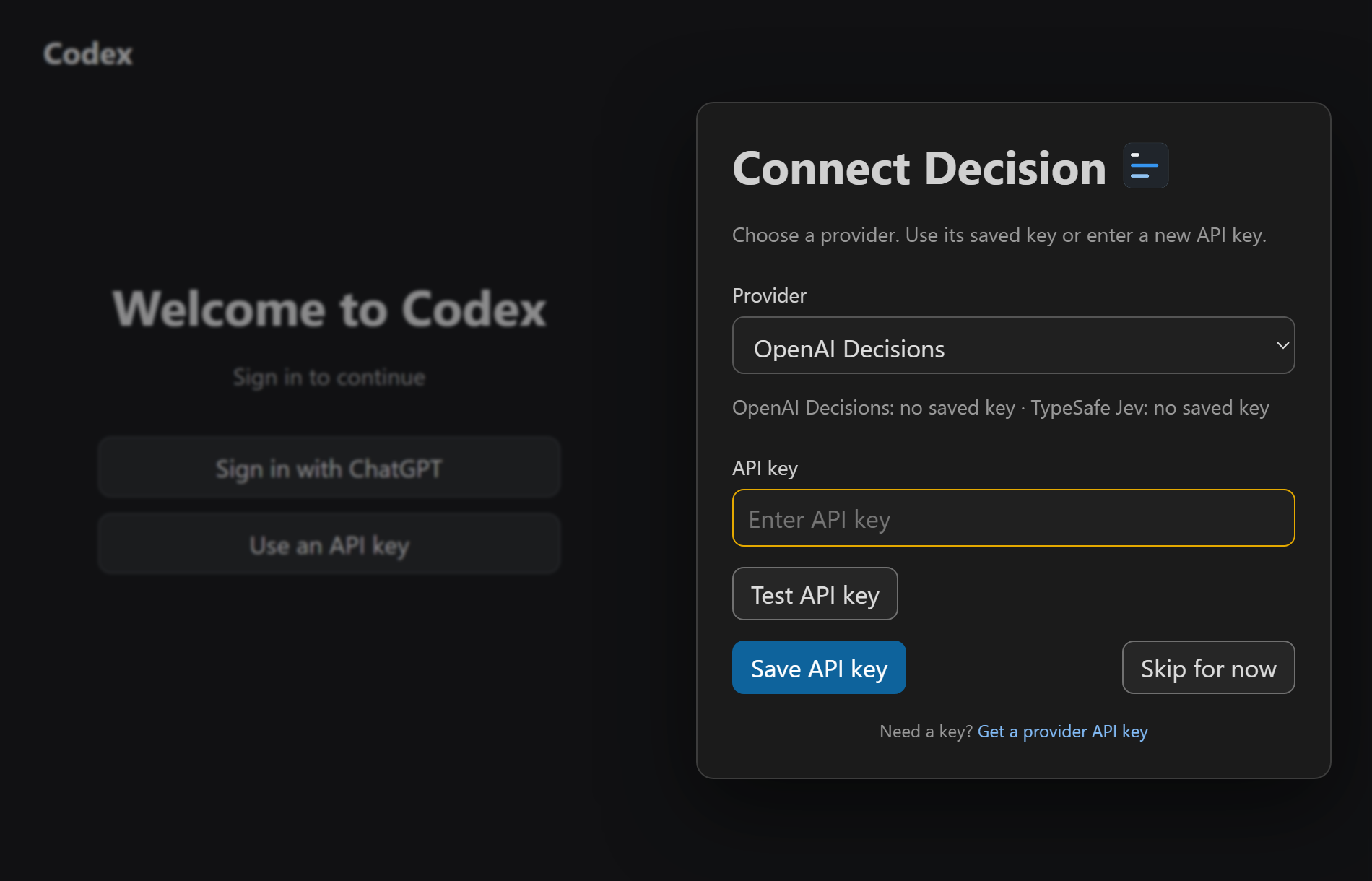
Codex sign-in and the Decision provider key are separate. I enter the key in this screen, where it stays out of chat. The selected provider receives eligible tool output and task context for the relevance check. Provider settings apply across chats; the on/off choice remains specific to each chat.
Try the first release
The first public release is available on GitHub for Windows VS Code with Linux x86_64 WSL. The single VSIX package includes the local hook and VS Code controls.
Install the package, reload VS Code, and connect a provider. Review the hook in /hooks if Codex requests trust. I would start in Monitor mode to see how Decision treats the output from a real task, then select Filter when ready. The installation guide covers setup and verification.